
New features of Mindbreeze InSpire 26.7 Release
Want to check out the highlights of the Mindbreeze InSpire 26.7 Release? Learn more in the following blog post.
Mindbreeze InSpire as an Agentic Tool
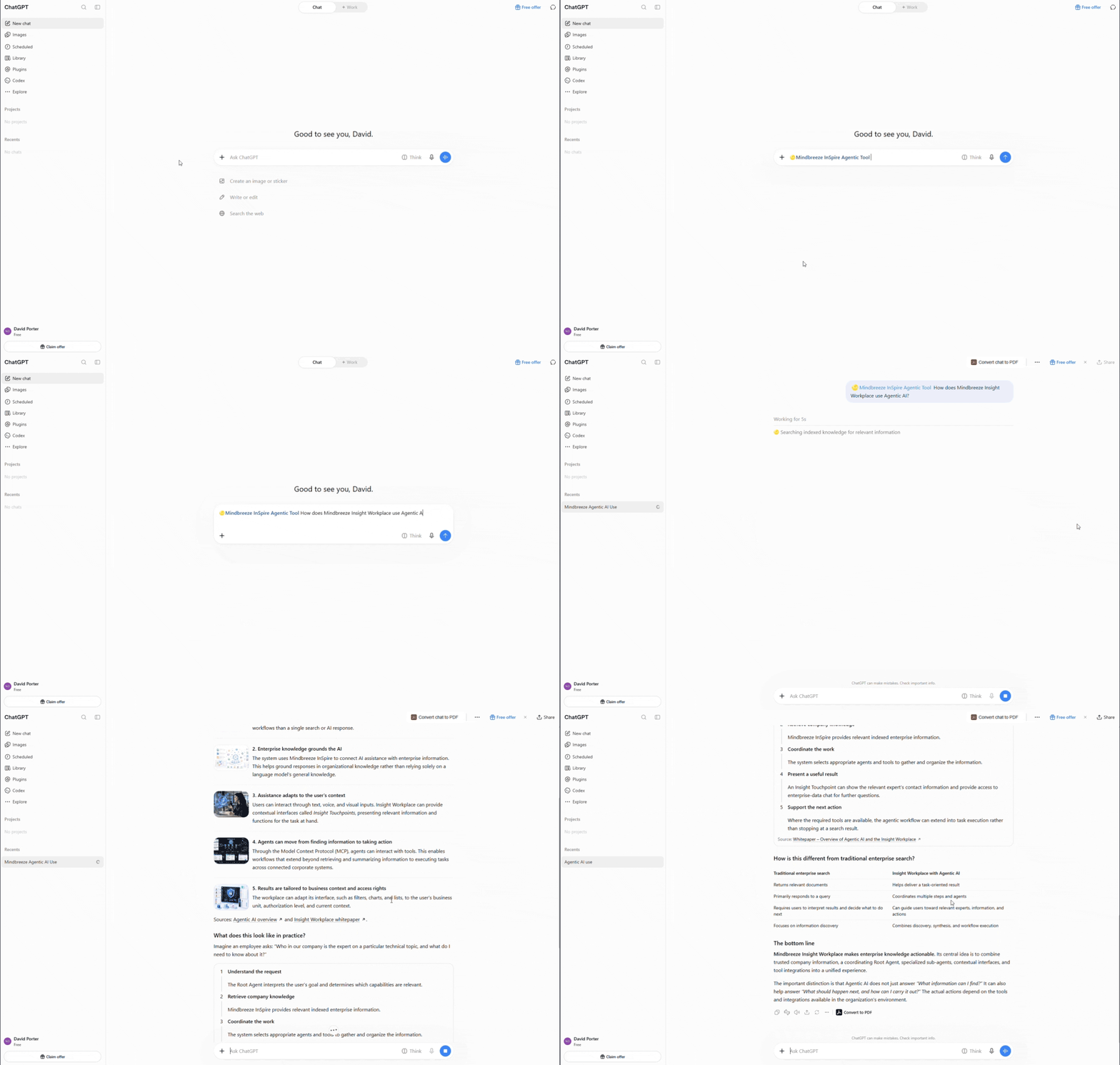
Mindbreeze InSpire is available as an agentic tool for customers that want to utilize the raw power of AI without compromising on security and transparency. Whether for in-house applications or intensive work in commercial AI platforms, integrating Mindbreeze InSpire API Tools via Model Context Protocol (MCP) drastically enhances the capabilities of your AI Assistants and Agents and opens up brand new use cases.
Due to ongoing developments and optimizations, the Mindbreeze InSpire 26.7 Release offers new features and improvements that increase security, quality and usability while administrators benefit from new monitoring features. Integrating Mindbreeze InSpire into commercial AI platforms, like OpenAI ChatGPT, Anthropic Claude or Microsoft Copilot, is now simpler designed. By providing a Server URL, the integration process is completed within a few clicks while agent-oriented authorization ensures a high level of security during the use of Mindbreeze InSpire as an agentic tool.
With the increased support of the industry standard OpenAI API and the end-to-end instrumentation, more options for monitoring and tracking LLMs and RAG pipelines are available. Administrators now receive more in-depth information about LLMs, RAG pipelines and processed requests in app.telemetry to enable more thorough problem analysis and detailed traceability.
For internal resource management and accounting purposes, administrators have the possibility to also track the LLM usage on the user and organization level. With this tracking configured, enterprises can monitor the internal usage of their LLMs in detail, and reallocate resources according to the usage and increase resource effectiveness.
Mindbreeze Insight Workplace – New Features and Optimizations
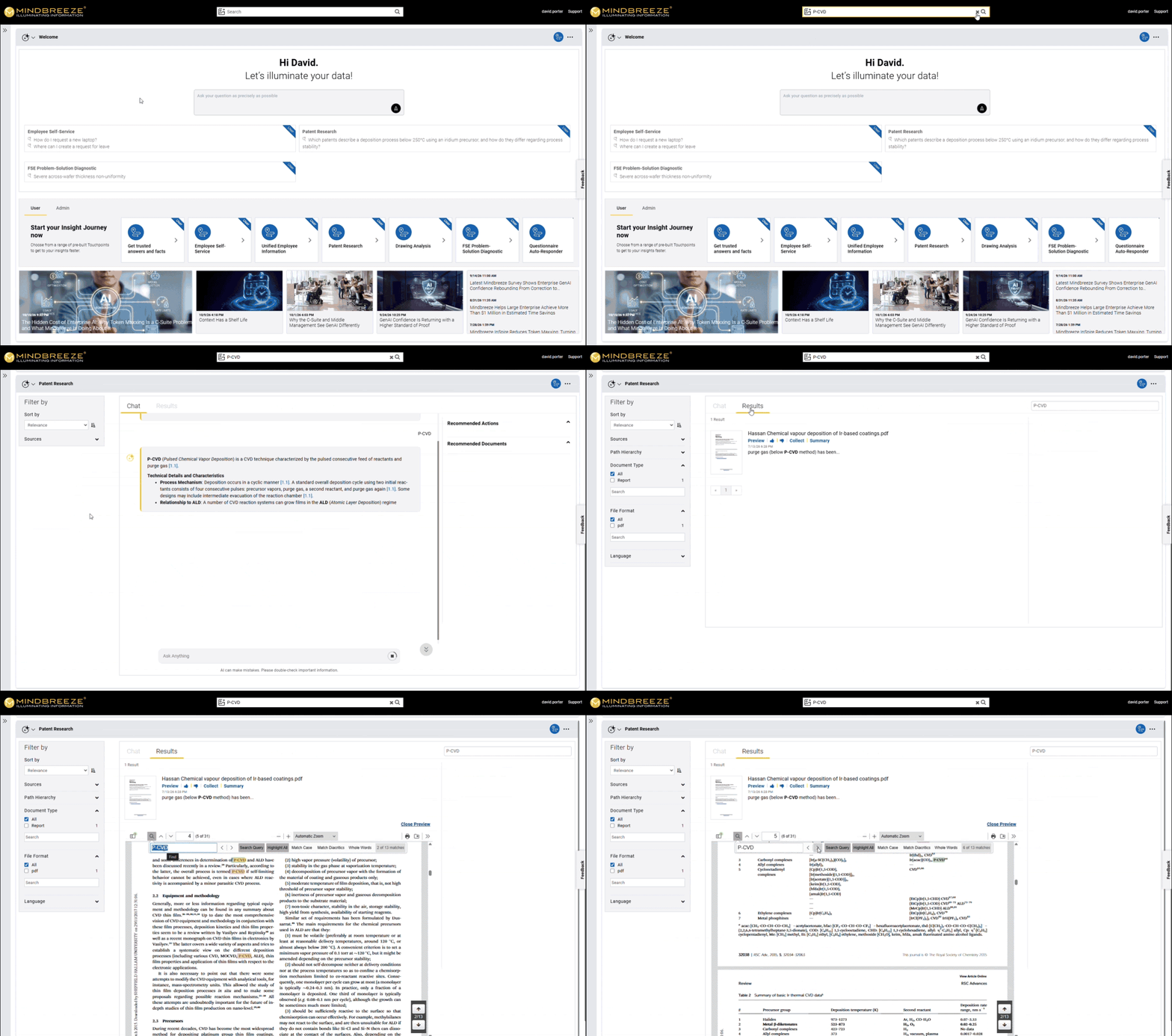
The Mindbreeze Insight Workplace is further enhanced with new features and optimizations that improve the user’s interaction with the PDF Preview and give administrators more options to adjust the Insight Workplace according to their requirements. Search queries can now be automatically forwarded to the keyword search of the PDF Preview to enable a smooth transition between search results and the PDF Preview. With the streaming of large PDFs optimized, users now seamlessly continue their research in the PDF Preview, refine the search query with query language, like “AND” or “OR”, and quickly access relevant text passages from particularly large PDF documents.
Administrators now also have the option to adjust the positioning of the PDF Preview by defining a custom position in the Mindbreeze Insight Touchpoint. When switching between pages of search results, a scrolling action can be configured which, for example, automatically scrolls to the top of the next page, to improve navigation. In addition, the loading of content in the first Insight Touchpoint has been optimized and it is possible to hide the area where the name of the Insight Touchpoint is displayed.
For Insight Workplace configurations where only the results of the currently active Insight Touchpoint are displayed, administrators can improve the performance of the Insight Workplace by focusing the Agentic AI on generating new content.
Detailed information on all innovations can be found in our release notes.
Contact our experts for further information.
Latest Blogs

From Enterprise Search to Enterprise Action: Daniel Fallmann Joins the Disambiguation Podcast
What does an AI agent need before an enterprise can trust it to complete real work?

The Hidden Cost of Enterprise AI: Why Token Maxxing Is a C-Suite Problem, and What Mindbreeze Is Doing About It
For the last few years, enterprise AI has run on a comfortable assumption: more context produces better intelligence. If a model can accept a larger context window, feed it more. More documents, longer prompts, deeper histories, bigger retrieval payloads.